GitLab Quick Start
Create a Personal Access Token
The API token generation process requires a user account (technical user). The use of connector features depends on the access rights of the given user. Learn more about the required permissions in section Configuration GitLab - Create a personal access token
-
To create a personal access token, login as the technical user to your GitLab instance.
-
Click on the user icon in the top left corner in the GitLab UI. A menu will pop up. Click on "Preferences".

-
Navigate to "Access Tokens" setting by using the menu on the left.
-
Choose a meaningful token name and expiration date. Select the
read_apiscope.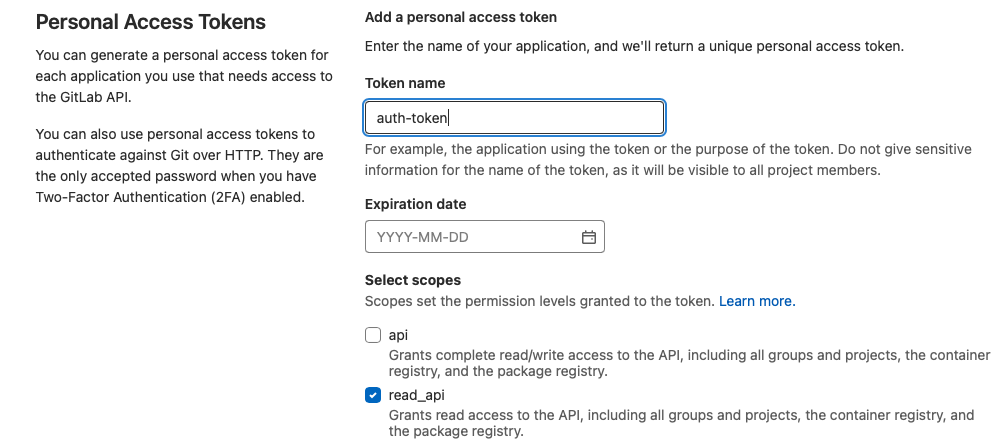
-
Click "Create personal access token" and copy the token.
